


|
Name |
MediaFire |
|---|---|
|
Google Play Link |
GET IT ON
Google Play
|
|
Category |
Productivity |
|
Developer |
MediaFire |
| Last version | 5.9.18 |
|
Updated |
|
|
Compatible with |
Android 4.1+ |
Introduction to MediaFire
MediaFire is a mobile utility app that gives you full control over your cloud storage, straight from your Android phone. It’s basically your digital backpack—packed with documents, photos, videos, and more—ready to go wherever you are. Whether you’re trying to offload your phone’s storage, send big files to your squad, or just want everything neat and in one place, MediaFire pulls it all together without breaking a sweat.
No more fussing with flash drives or emailing yourself attachments. With MediaFire, you can upload anything from your gallery, notes, or even voice memos, and boom—it’s instantly backed up in the cloud. The best part? You can stream media directly from the app, so if you’re storing music, podcasts, or videos, you don’t even need to download them again. Just tap and play.
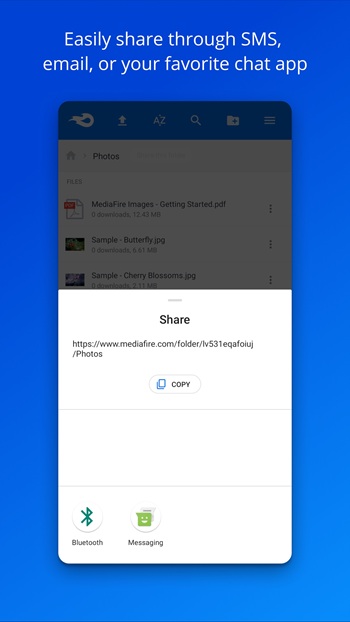
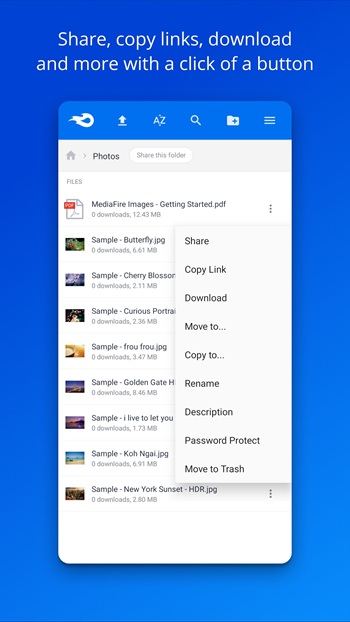
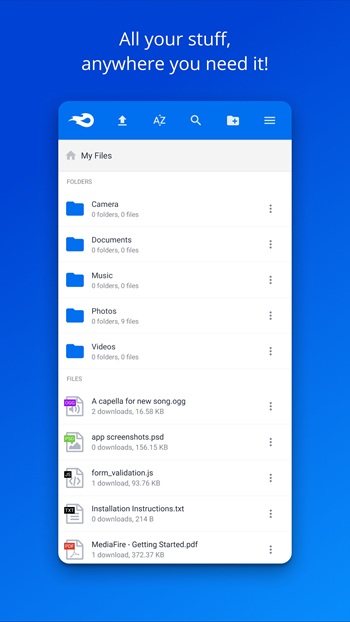
The layout is simple, zero fluff. You get folders for organizing your files, tools for renaming or deleting them, and an upload button that’s front and center. There’s also a handy search bar when you're trying to find something fast. Need to share a file? Hold it down and choose how you want to send it—email, social apps, or a shareable link. It’s flexible like that.
If you're the type who takes a million photos (same here), the auto-backup feature will save your sanity. MediaFire can automatically upload your latest shots and videos so you don’t lose your memories—and your phone gets to breathe. Plus, everything syncs across devices, so you can grab that one meme from your tablet, laptop, or any screen you’re logged into.
Still, it’s not all sunshine. The free version runs ads, which can get annoying. Also, if you’re trying to upload massive files (like video projects or full albums), there’s a size limit unless you upgrade. And while it does the basics well, it’s not the app to use if you need bank-level encryption or live support at 3AM. Just being real.
Even with those hiccups, MediaFire remains super useful for students, content creators, small teams, or literally anyone who needs to keep files organized and accessible. It's reliable, doesn’t ask too much from your device, and gets the job done when you need quick file management on the move.
If you've ever found yourself stuck with a full phone or needing to share a chunky file fast, MediaFire is that one app you’ll wish you downloaded sooner.
FAQs MediaFire
What is MediaFire?
+
MediaFire is a cloud-based storage app for Android that lets you upload, stream, organize, and share files like photos, videos, and documents.
How do I use MediaFire APK on my phone?
+
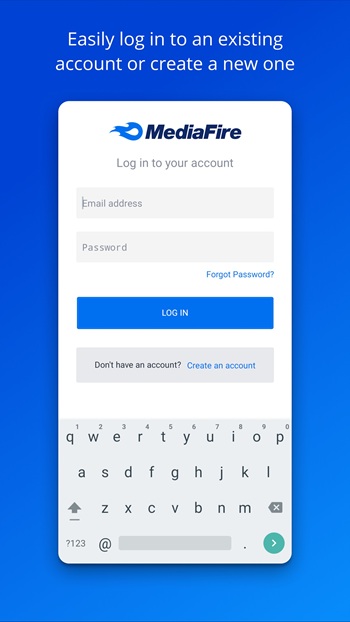
Just install the app, log in, and start uploading your files. You can organize them into folders, share via links, and even stream videos directly.
Is MediaFire APK free to use?
+
Yes, MediaFire offers a free version with ads and storage limits. There’s also a premium plan if you need more space or want to remove file size limits.
Can I back up my photos with MediaFire?
+
Absolutely. MediaFire has an auto-backup feature that can save your photos and videos automatically, so you don’t have to worry about losing anything.
What makes MediaFire different from other storage apps?
+
It’s lightweight, super easy to use, and allows in-app streaming, fast sharing, and automatic backups—all without needing a computer or complicated setup.
Discover More Interesting Apps
-

Regain
v57.2.1615
34.28 Mb
Updated -
Mod
Win-X Launcher
v31.7
46.00 Mb
Updated -
Mod
DWG FastView
v5.16.23
102.32 Mb
Updated -
BLOApp
v9.37
92.89 Mb
Updated -
Manus AI
v26.6.1
125.03 Mb
Updated -
Grok
v1.1.74-release.00
55.85 Mb
Updated -
Mod
Grok 3
v1.1.74-release.00
55.85 Mb
Updated -
SASA App
v15.02
27.48 Mb
Updated -
Mod
Kilonotes
v3.27.1
147.41 Mb
Updated -
Mod
Perplexity
v2.87.0
159.51 Mb
Updated









Share Your Thoughts